> For the complete documentation index, see [llms.txt](https://guides-mechboards.gitbook.io/guides/llms.txt). Markdown versions of documentation pages are available by appending `.md` to page URLs; this page is available as [Markdown](https://guides-mechboards.gitbook.io/guides/getting-started/dactyl-wired-wireless.md).
# Dactyl Wired/Wireless
Your keyboard is ready to go! You can use it straight away.
Select the type of dactyl you have to learn how to use your keyboard.
Wired Dactyl
Your keyboard is ready to go! You can use it straight away.
### Connecting:
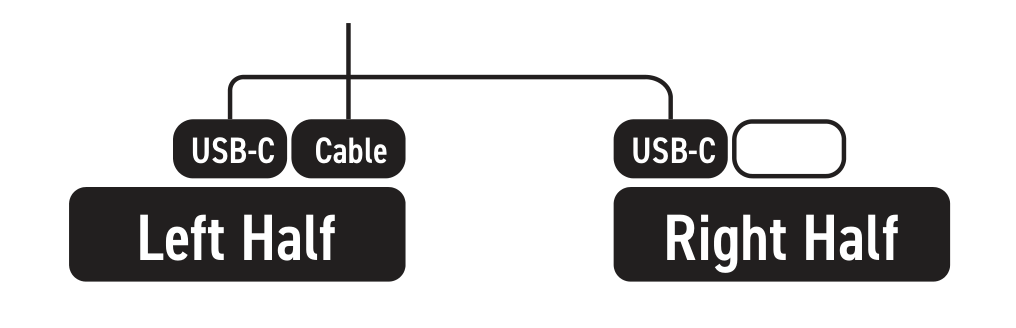
Connect the USB-C interconnect cable to the left most
\
socket of each half. Then connect your data cable to the
\
vacant socket on the left half.
### Changing Keymap:
Use the [vial.rocks](https://vial.rocks) website to change your keymap layout.
### RGB:
With [vial.rocks](https://vial.rocks), you can change the RGB colour and mode
Wireless Dactyl
Your keyboard is ready to go! You can use it straight away.
### Connecting:
Turn on the halves with tweezers or anything pointy and move the power switch to the on position (when looking at the keyboard, move the switch to the left position) - a blue light should illuminate. The default RGB should also turn on.
Find "cosmotyl" in bluetooth devices.
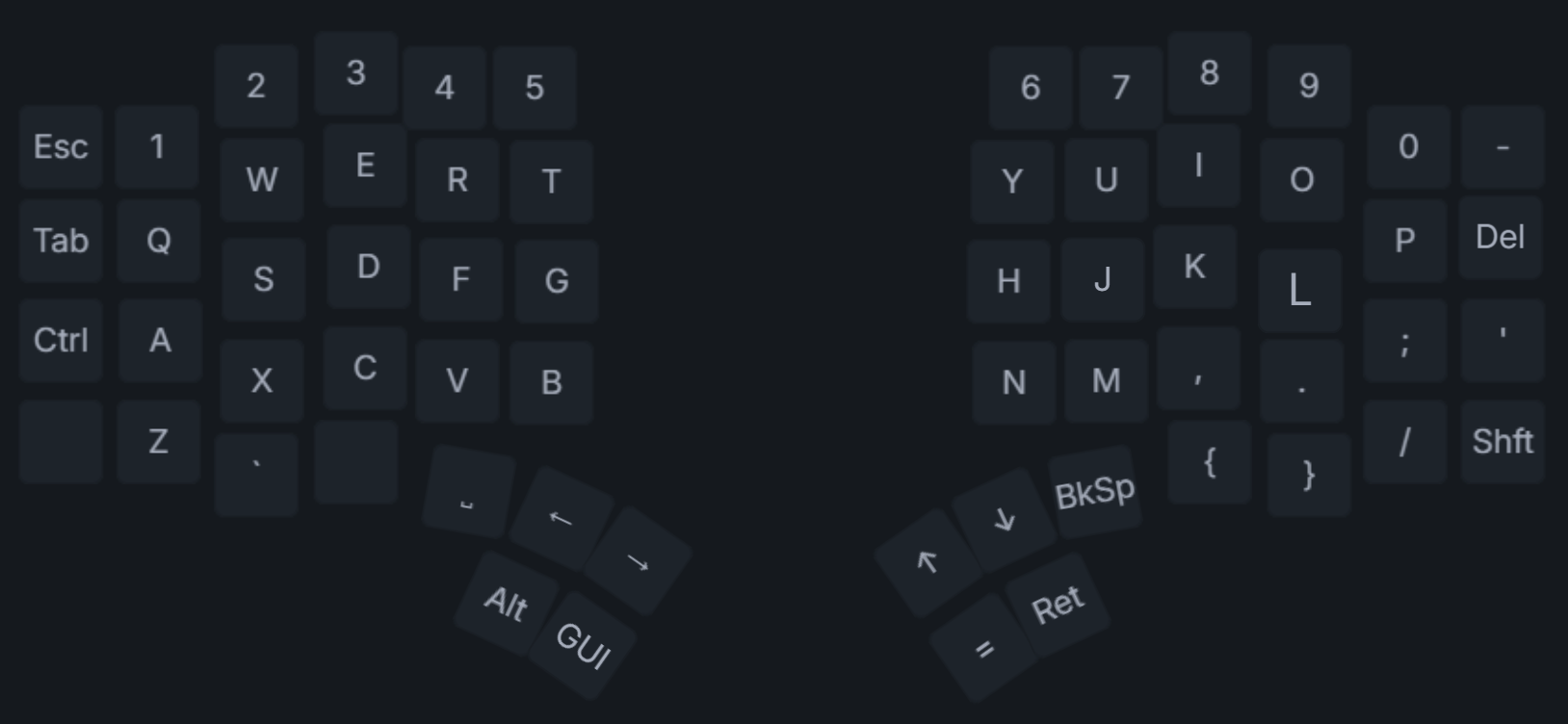
### Default Layout
### Important Key Combos:
Hold the button below C + any of the below keys:\
ESC - Studio Unlock for ZMK\
CTRL - RGB Toggle\
1 - Bluetooth Profile 1\
2 - Bluetooth Profile 2\
3 - Bluetooth Profile 3\
5 - Clear Selected Profile\
\
Q - Underglow Hue Up\
A - Underglow Hue Down\
E - Underglow Saturation Up\
D - Underglow Saturation Down\
T - Next Effect\
G - Previous Effect
### Changing Keymap:
Check out our [Using ZMK Studio](/guides/other-guides/using-zmk-studio.md) Guide
## Any Issues?
Please don't hesitate to get in contact - We'll be more than happy to help! -
{% embed url="" %}